Leverage Withe's hiring event platform
Streamline your seasonal and high-volume hiring process and hit your hiring targets.
For employers and recruiters, a career fair booth is only as valuable as the follow-up list it produces. A recruiter can have dozens of good conversations in a day, but a conversation that leaves no name, no email, and no note behind is gone by the next week.
The conversations are worth keeping. In NACE's 2025 Internship & Co-op Survey, more than two-thirds of employers rated in-person career fairs as effective for recruiting interns (NACE). Students see results too: more than 45% of those who attended a career fair received an interview invitation afterward, and nearly one-quarter were offered a job, according to NACE's 2024 Student Survey (NACE).
This post covers why capture breaks down at a busy booth, what to collect, the fastest ways to collect it, and how to keep candidates from going cold after the fair.
Leverage Withe's hiring event platform
Streamline your seasonal and high-volume hiring process and hit your hiring targets.
Why is capturing candidate details at a busy booth so hard?
Capturing candidate details is hard because the busiest moments at a career fair leave the least time to write anything down. Conversations are short: the University of South Carolina tells students that talks with recruiters last no more than 10 minutes, less if there's a line (University of South Carolina). Traffic also arrives in waves. As we share in our guide for career fair organizers, the first 30 to 60 minutes are the busiest, with a second wave over lunch, so there's rarely downtime for recruiters to catch up on notes and context gets lost quickly between conversations.
The usual tools add to the problem. A stack of paper resumes and business cards records who stopped by, without what was said, which role they wanted, or how strong they seemed. Recruiters fill those gaps from memory after the fair: a connection reconstructed the next day is a name on a list. Booths with several recruiters add one more gap, since each person's notes end up in a different notebook or phone. A QR code that only links to an online application doesn't track where the candidate came from or who they spoke with, so the lead gets lost in the fray.
What candidate information should recruiters collect at a career fair?
Recruiters should collect enough to follow up and enough to decide whom to follow up with first. That means contact details, the role the candidate wants, a resume, and the recruiter's own notes and rating, captured while the conversation is still fresh.
| Detail | Why it matters | When to capture it |
|---|---|---|
| Name and email | The minimum for any follow-up | At the booth |
| Role or team of interest | Routes the candidate to the right hiring manager | At the booth |
| School, program, or experience level | Separates campus and experienced candidates | At the booth, or from the resume |
| Resume | Gives hiring managers something to screen | At the booth, or by email afterward |
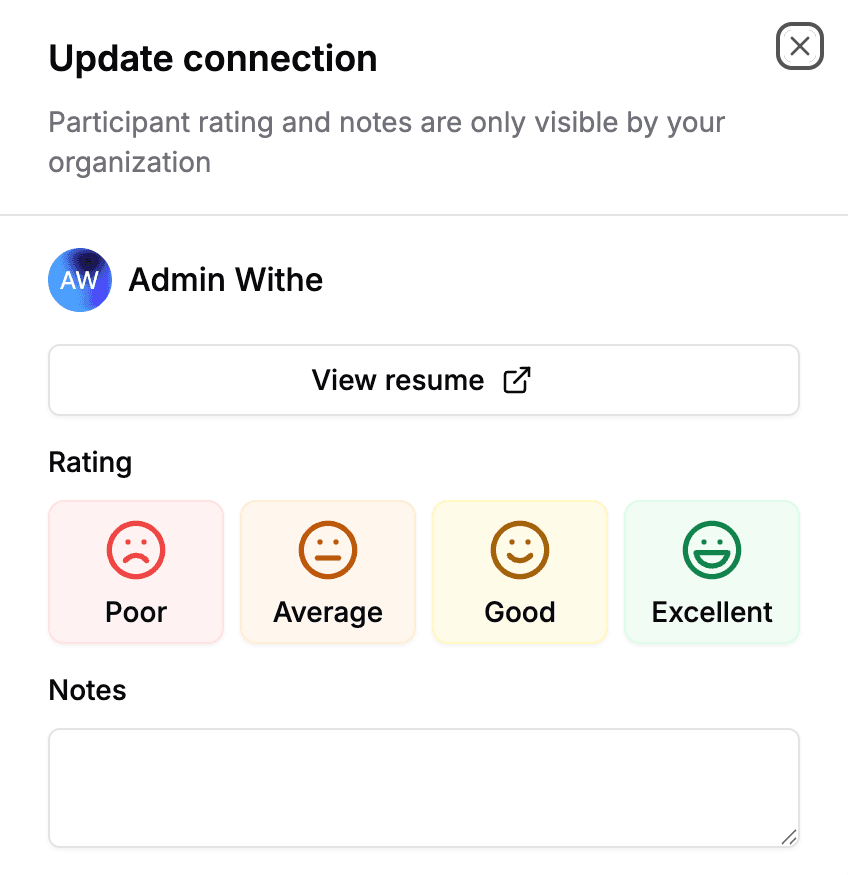
| Recruiter notes | Records what a resume can't, such as motivation, availability, and how the conversation went | Right after the conversation |
| Rating | Sets the follow-up order | Right after the conversation |
| Who they spoke with | Lets the right recruiter follow up | Automatically, if the capture tool records it |
Notes and ratings matter most because they can't be recovered later. Recruiters spend an average of 7.4 seconds on a first resume screen, according to Ladders' 2018 eye-tracking study (HR Dive), so a two-line note about what the candidate said is often what earns the resume a closer look.
Capture consent at the same moment. Canada's privacy commissioner asks organizations to make clear what personal information they collect, who it is shared with, and why (Office of the Privacy Commissioner of Canada). Withe's guide recommends that when a candidate scans a booth or uploads a resume, it should be obvious they are sharing their information with that employer.
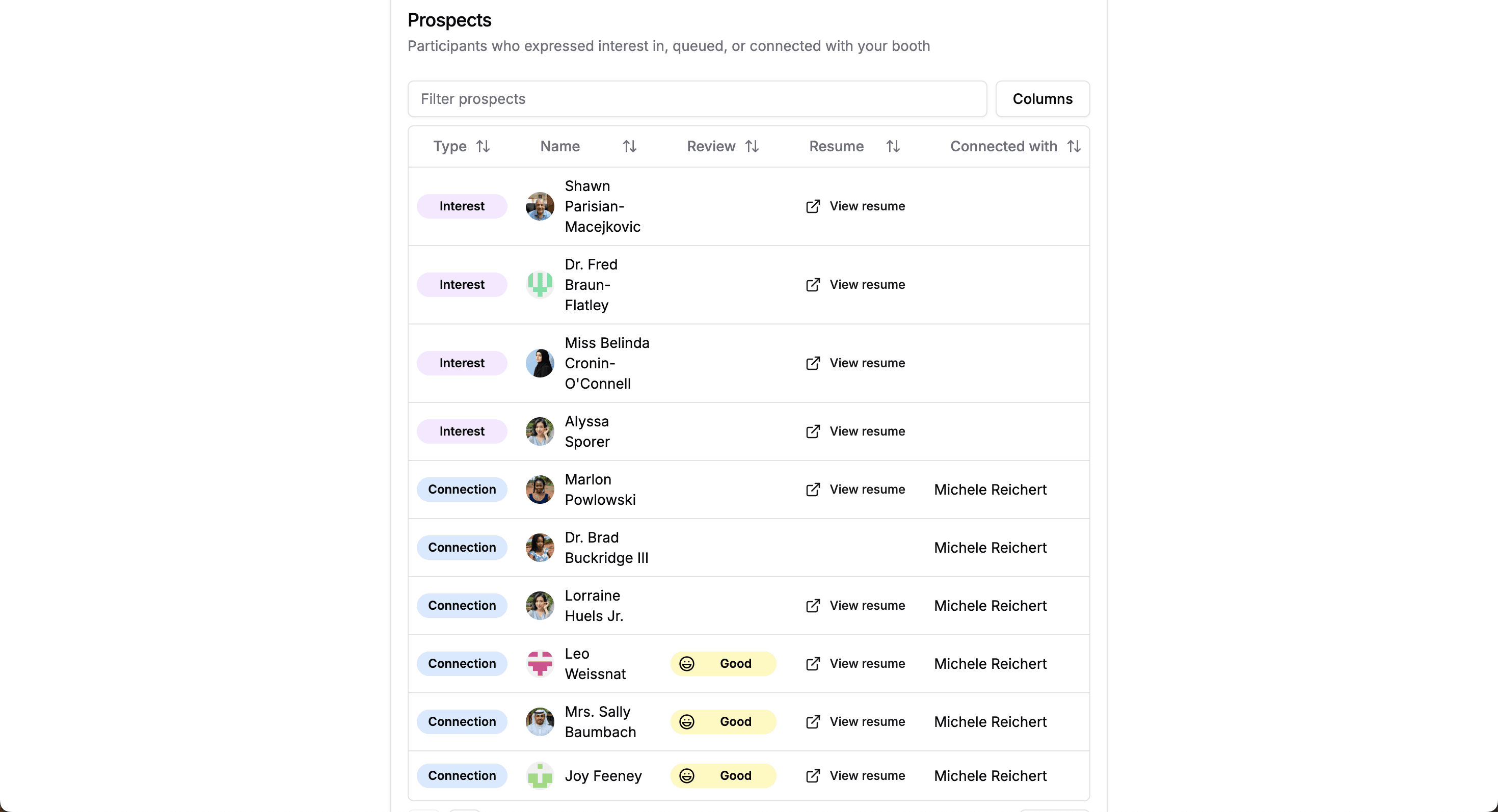
TalentSync turns your booth into a prospect list at any career fair, with resumes, notes, and ratings in one place.
What are the fastest ways to capture candidate details?
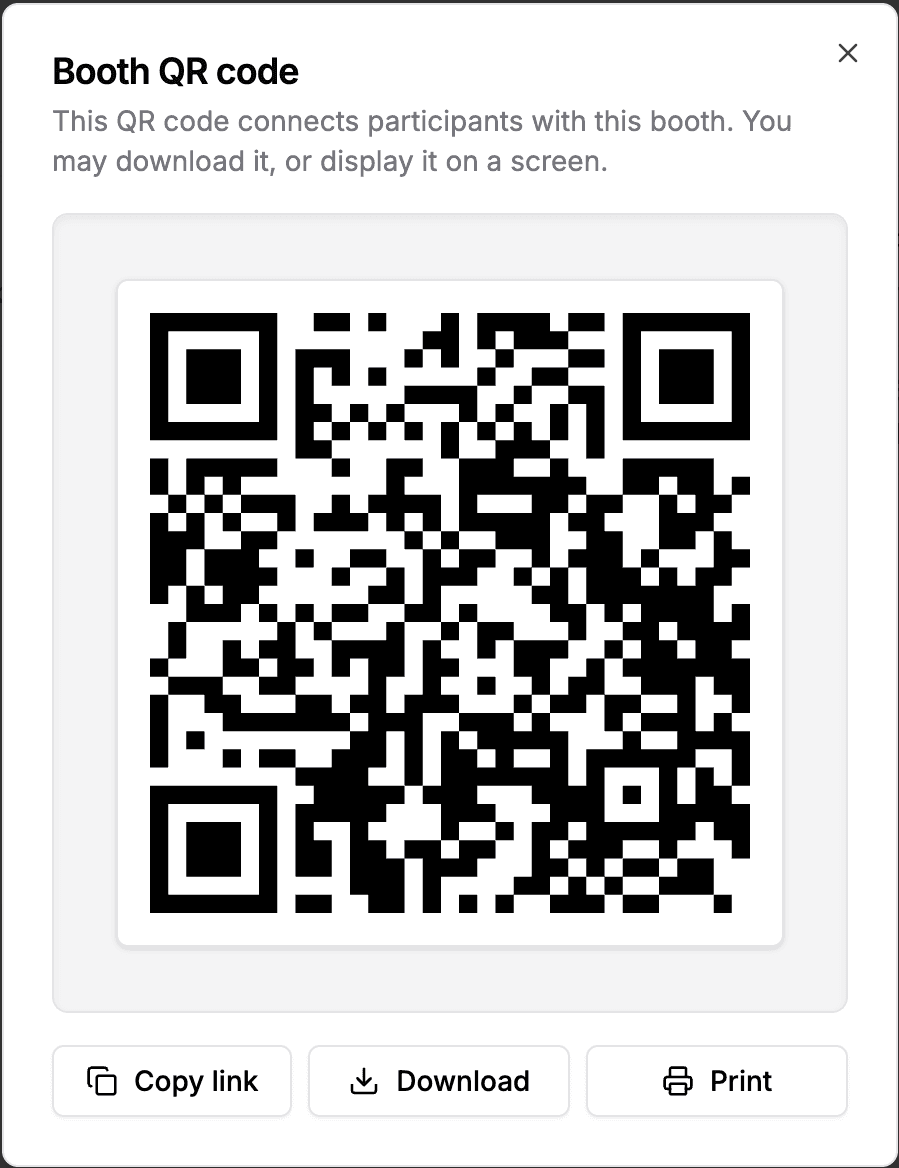
The fastest capture methods put the typing on the candidate's phone and leave the recruiter free to talk. A booth QR code does that best, with a shared device or manual entry as the backup for anyone who can't scan.
| Method | What the recruiter gets | Watch out for |
|---|---|---|
| Paper sign-up sheet | Names and emails, if legible | No notes, and hours of data entry afterward |
| Resume stack and business cards | A pile of documents | Nothing ties the paper to the conversation |
| Shared tablet form | Typed contact details | One device creates a second line |
| Booth QR code | Contact details and role of interest, typed on the candidate's own phone | Needs a visible code and a backup for anyone who can't scan |
| Manual entry by the recruiter | A record for candidates without a phone | Slow when the line is long |
Whatever the method, a recruiting team should settle two things before the fair. Agree on one rating scale, so every recruiter's "good" means the same thing. Then split the roles when the booth gets busy: one person greets the line and points people to the QR code, while the others talk and log notes after each conversation. We also suggest a reminder during the mid-day lull, so the team keeps logging after the opening rush.
TalentSync is built for this workflow. Candidates scan the booth and enter their name, email, and the role they want, and TalentSync emails each one a link to upload a resume, so resumes arrive after the rush. The whole team works from one shared queue, adding notes and ratings to each connection, and the booth works offline at any career fair, whether or not Withe powers it. At fairs run on Withe Career Fairs, the same tools come built into the booth.
How do you avoid losing follow-up opportunities after the fair?
Follow up within 24 hours, starting with the highest-rated candidates, and point each one to the role they asked about. Speed matters because candidates notice silence: 53% of job seekers said an employer ghosted them in the past year, up from 48% in 2025 and 38% in 2024, according to Criteria's 2026 Candidate Experience Report (Fortune). A career fair gives a recruiter something an online application can't: the candidate already knows a person at the company. A quick follow-up that mentions the conversation keeps that advantage alive.
Three habits keep the list from going cold. Export the prospect list on the day of the fair, while names and faces still line up. Send hiring managers their candidates with the notes attached, so the handoff carries the context. Then move the strongest candidates into the ATS the same week, so the fair feeds the pipeline. Candidates who hear nothing tend to move on.
In TalentSync, the prospect list is sortable, searchable, and exportable as a CSV, and enterprise plans connect it directly to the ATS.
For what to send each candidate and when, see career fair follow-up for recruiters.
Conclusion
A career fair booth produces a follow-up list, and every detail captured at the booth decides how useful that list is. Before the next fair, set up a QR code, agree on a rating scale, and plan to follow up within 24 hours, so the conversations recruiters work hard for turn into interviews.
TalentSync is free for your first 3 fairs, with no credit card required. See how TalentSync works.
More for employers recruiting at career fairs: